The call center you run.
Not the one you rent.
Dialix is a self-hosted PBX and call center: queues, IVR, a visual call-flow designer, and a mobile app that is the desk phone — all in one Rust binary, on your server, with your SIP trunk. No per-seat licensing.
curl -fsSL dialix.app/api/download/community -o dialix.zip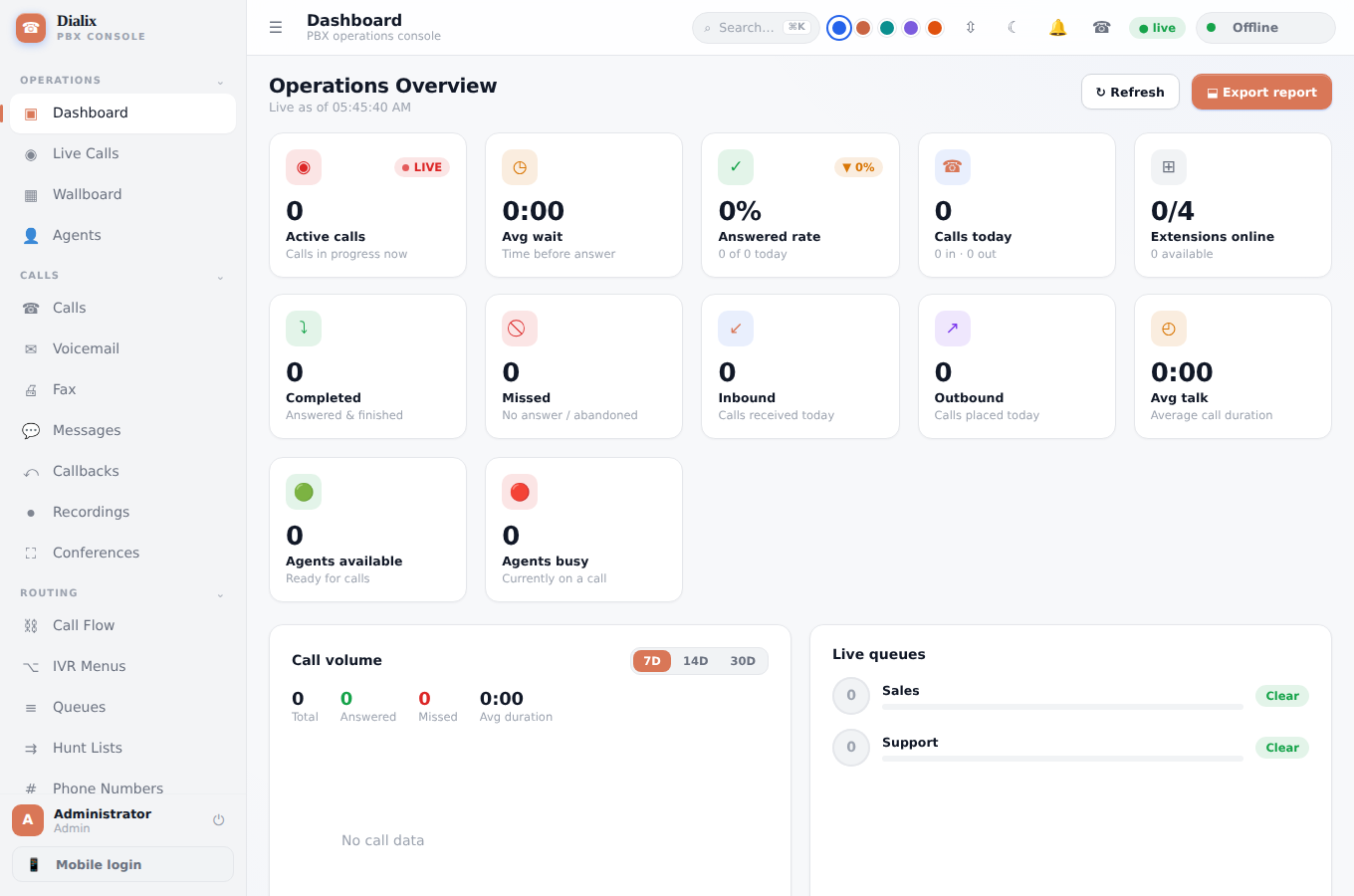
Built the way engineers wish telephony worked
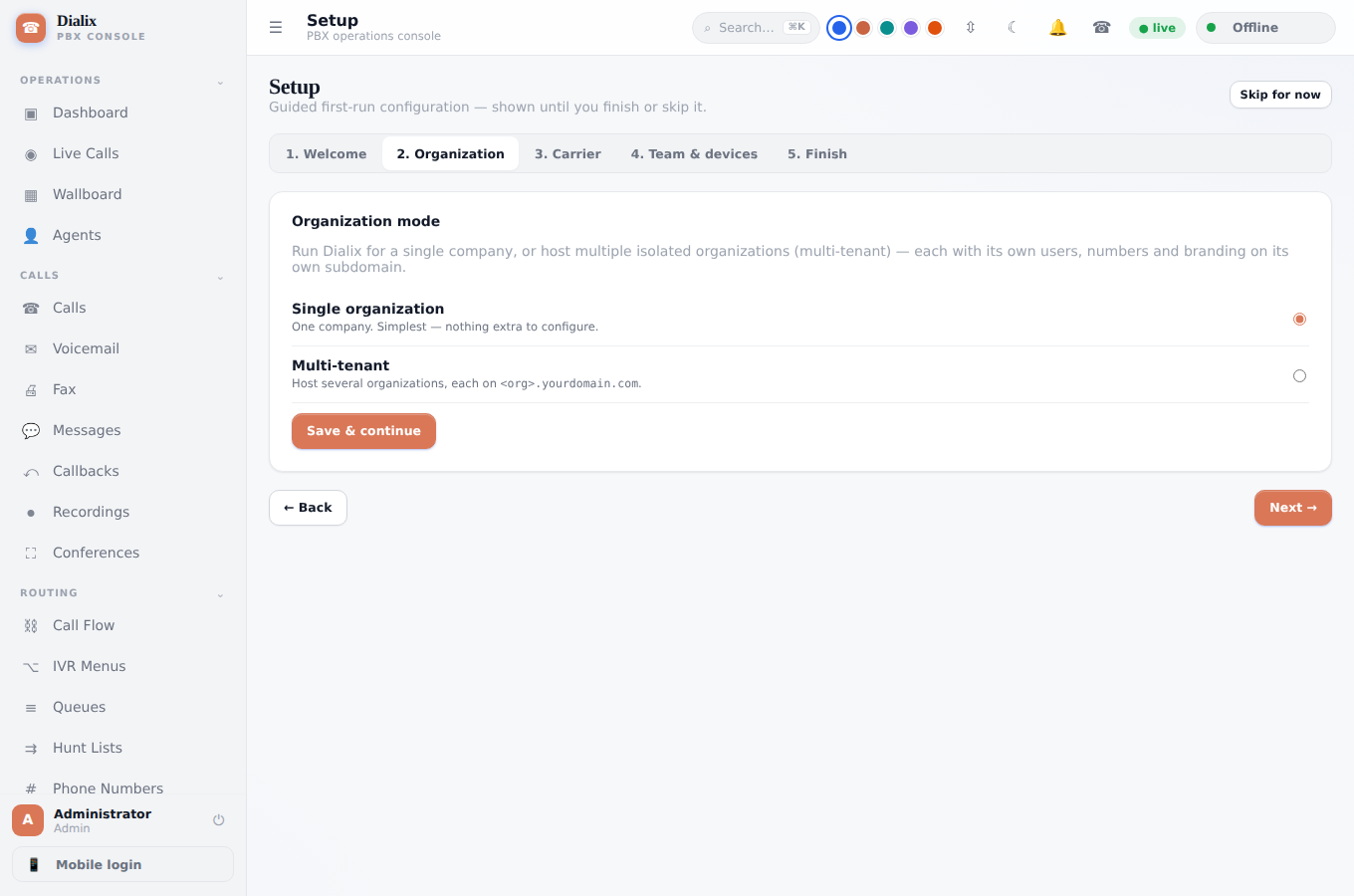
Every screenshot below is a real screen from a running installation — nothing here is a mockup.
One-click telephony setup — verified, not assumed
“⚙ Configure automatically” writes the Asterisk config, generates passwords, arms the SIP firewall, installs the TTS engine, and reloads. Then it checks every step and shows you a pass/fail list — with a fix hint when something isn't green.
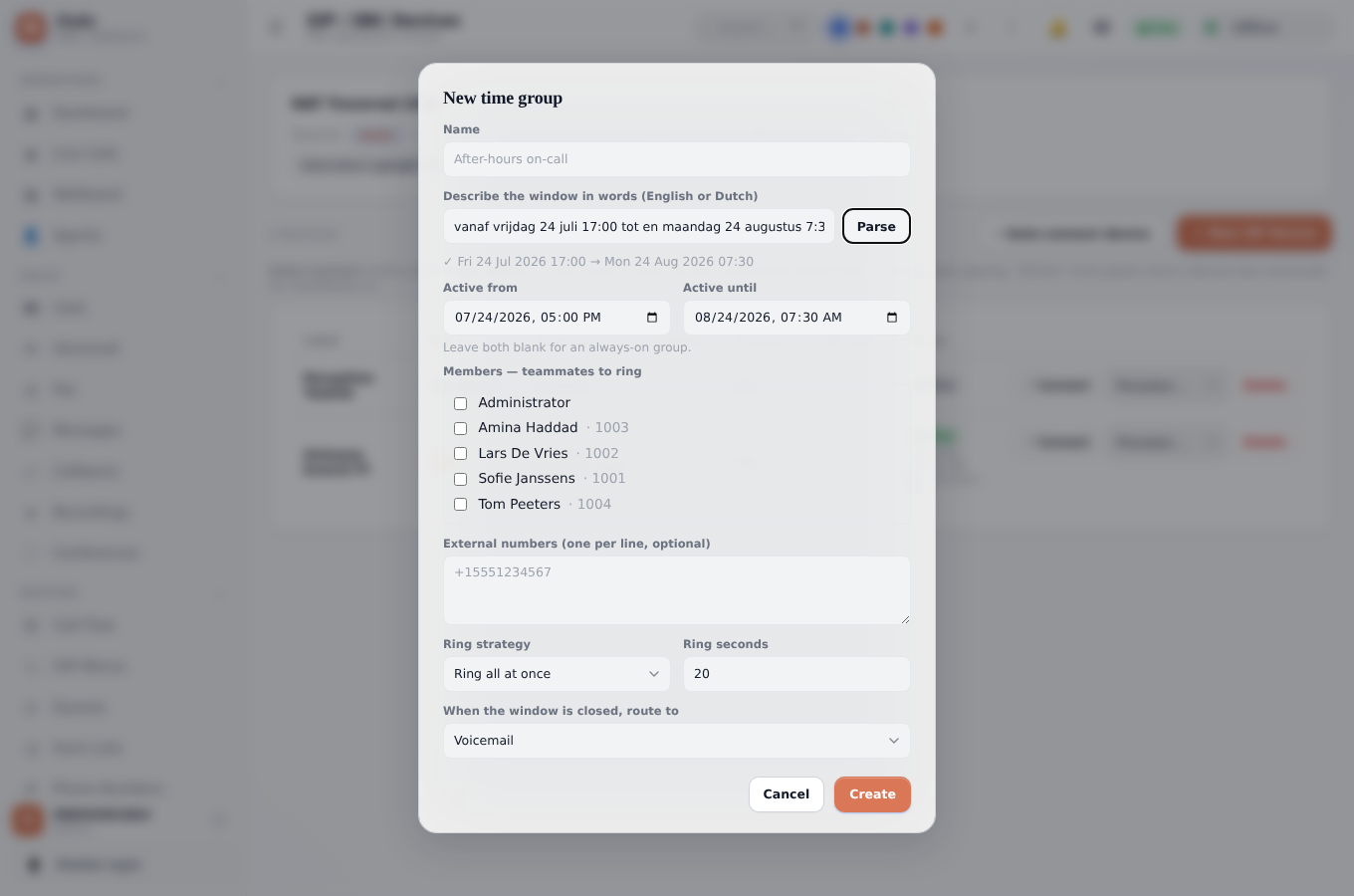
Describe a schedule in English or Dutch. It becomes an exact window.
Type "vanaf vrijdag 24 juli 17:00 tot en maandag 24 augustus 7:30" into a time group and Dialix parses it into a precise active-from/active-until range, rings the right teammates, and falls back to voicemail when the window closes.
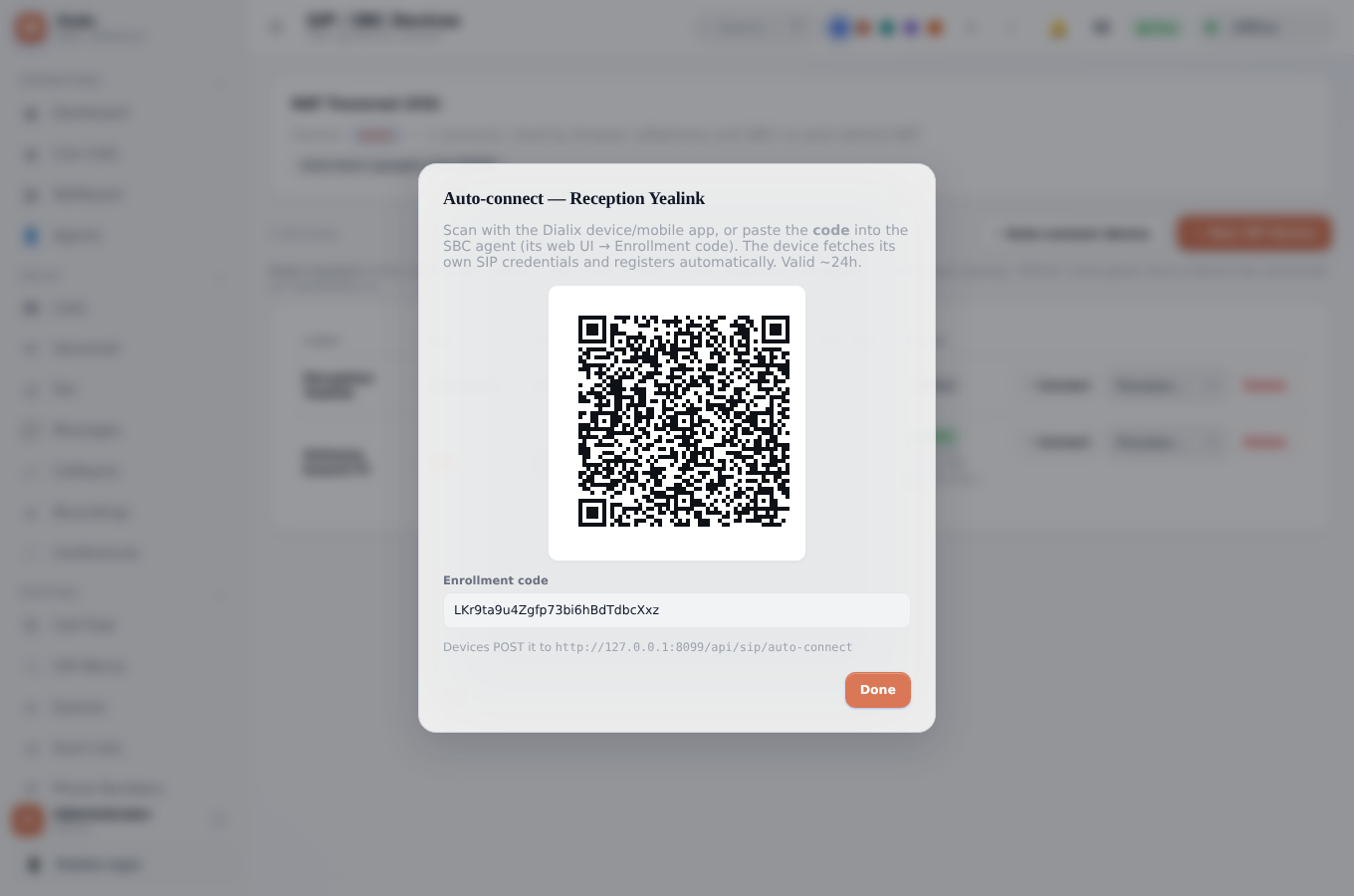
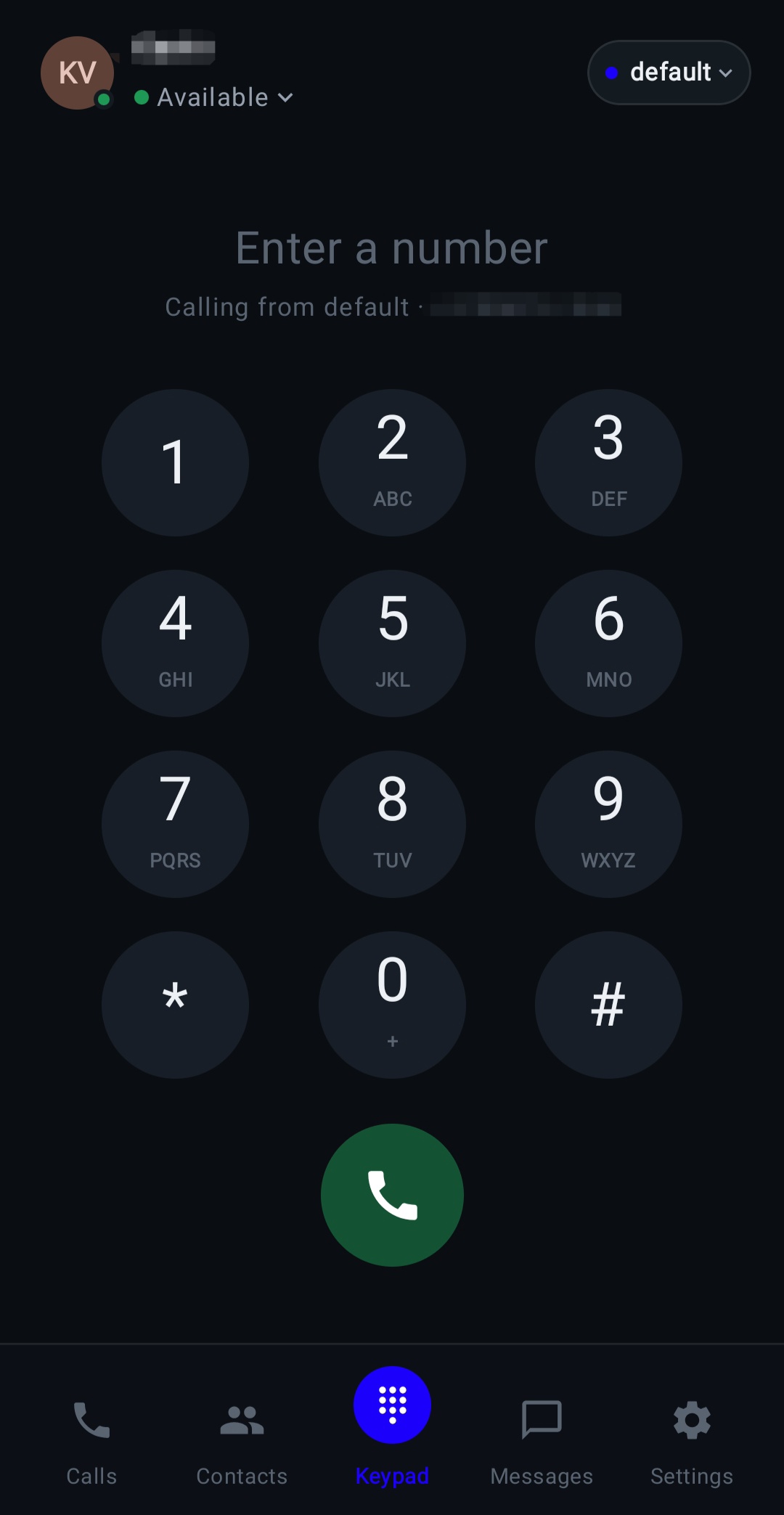
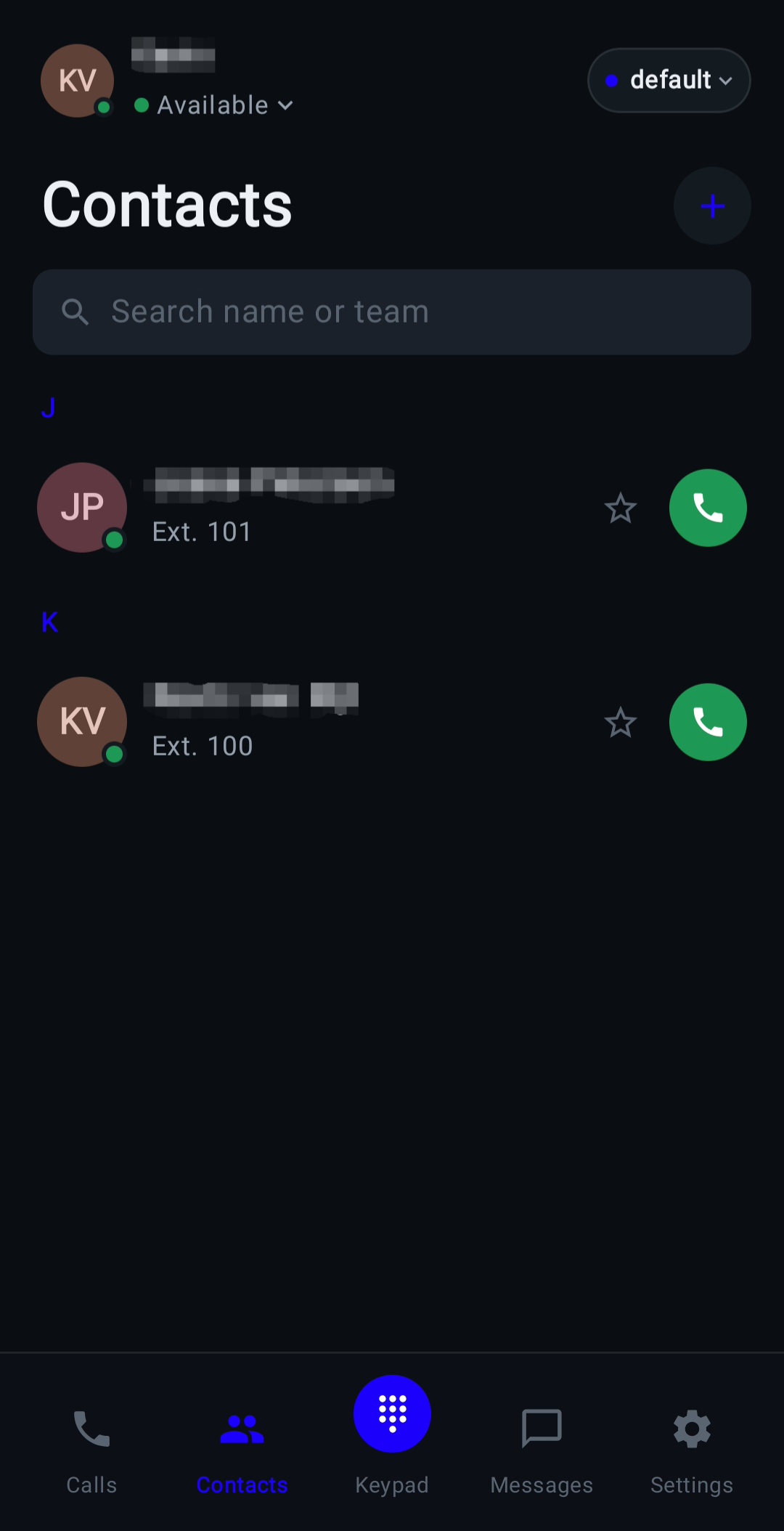
The app is the desk phone
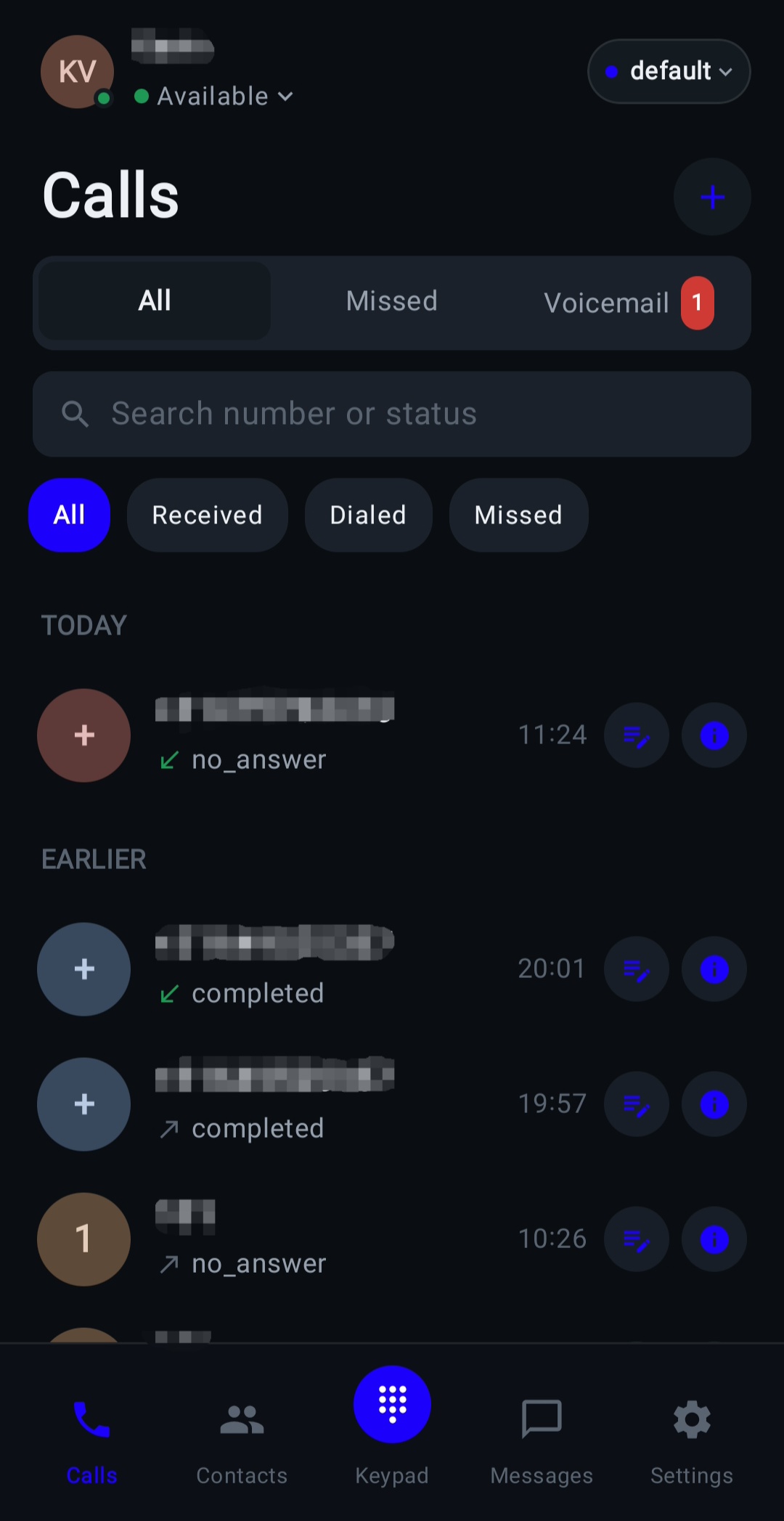
Scan a QR code on-screen and an Android phone becomes a fully provisioned SIP extension in seconds — no manual SIP config, ever. Inbound calls wake it with push even when the app is closed; outbound shows the company caller ID.
Everything a contact center needs. Nothing you have to pay per seat for.
Queues, IVR, recording, transcription, reporting, CRM screen-pop, click-to-call — the full catalog, shipping today.
Call flow designer
Drag-and-drop canvas with IVR, queues, time rules, switches and webhooks. The route a caller would take right now is painted green and re-evaluated every 5 seconds.
Switches & feature codes
Named on/off switches — "Night mode", "Emergency" — toggled from the web, the app, a flow, or by dialing *21 from any phone.
Voice & audio
Server-side TTS with automatic per-prompt language detection, telephony-grade audio pipeline, and barge-in with buffered early keypresses.
Native mobile app
A real SIP engine on Android, not a callback trick. QR sign-in, push-woken ringing, transfer, DND, voicemail — all in-app.
Live supervisor console
Listen, whisper, barge, hold, transfer and record any call in progress. Race-proof call parking with self-cleaning slots.
Resilient inbound routing
Per-number routing to a flow, queue, hunt list or forward. Push-woken handsets get a retry budget instead of a dropped call.
Security by default
fail2ban-armed SIP firewall bans scanners after 5 failures, bcrypt/argon2 auth, TLS via ACME, and a full admin audit log.
Multi-tenant & white-label
Organizations exist because their database exists. Per-tenant trunks, branding, custom domains with automatic per-domain TLS.
Admin & observability
One-click "configure automatically" with a verified pass/fail checklist, live SIP logs, one-file backup/restore.
Any phone. Any trunk. One directory.
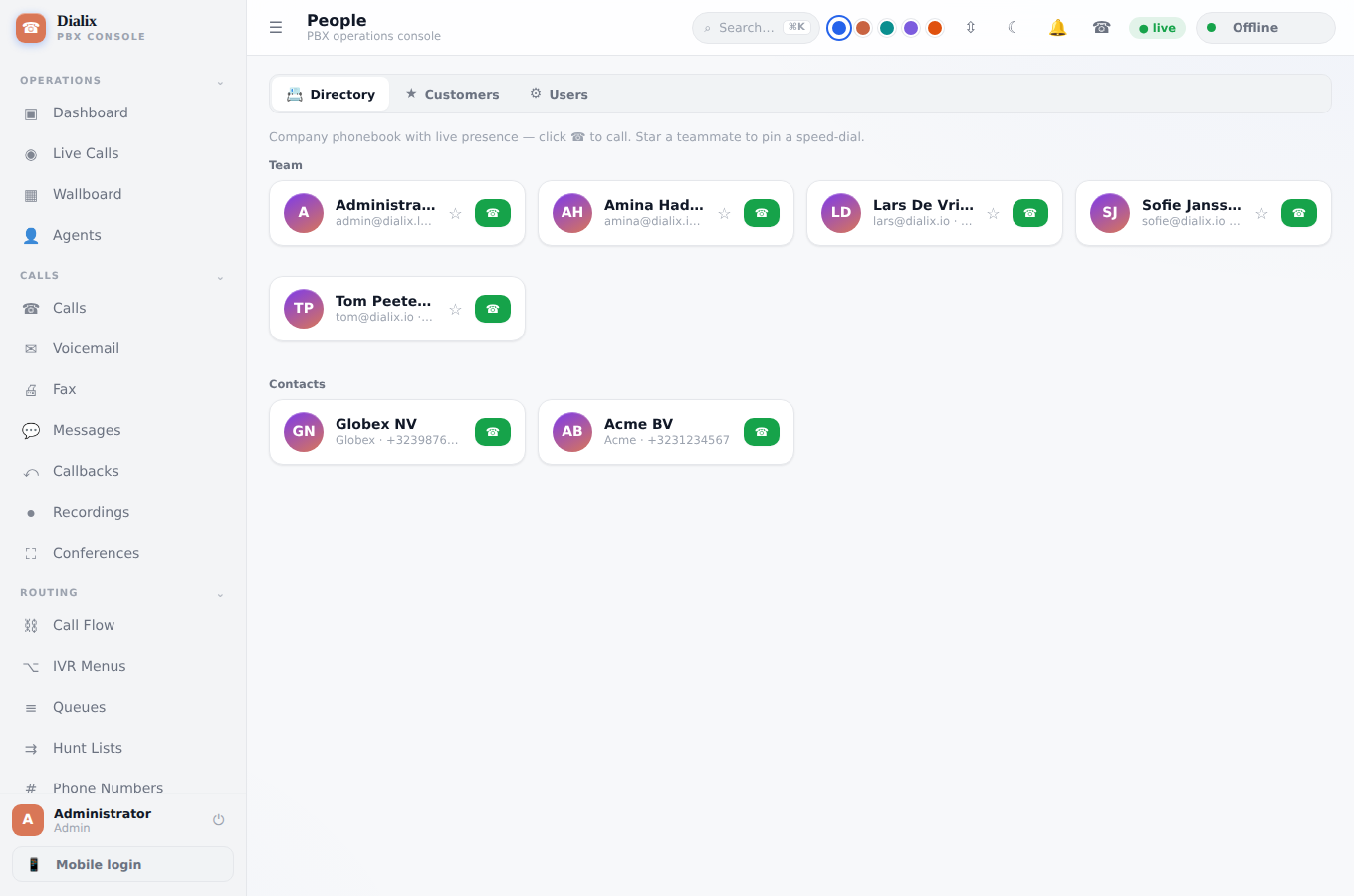
Zero-touch provisioning across eight phone vendors, an edge SBC for branch offices, and a company directory that shows live presence — click to call.
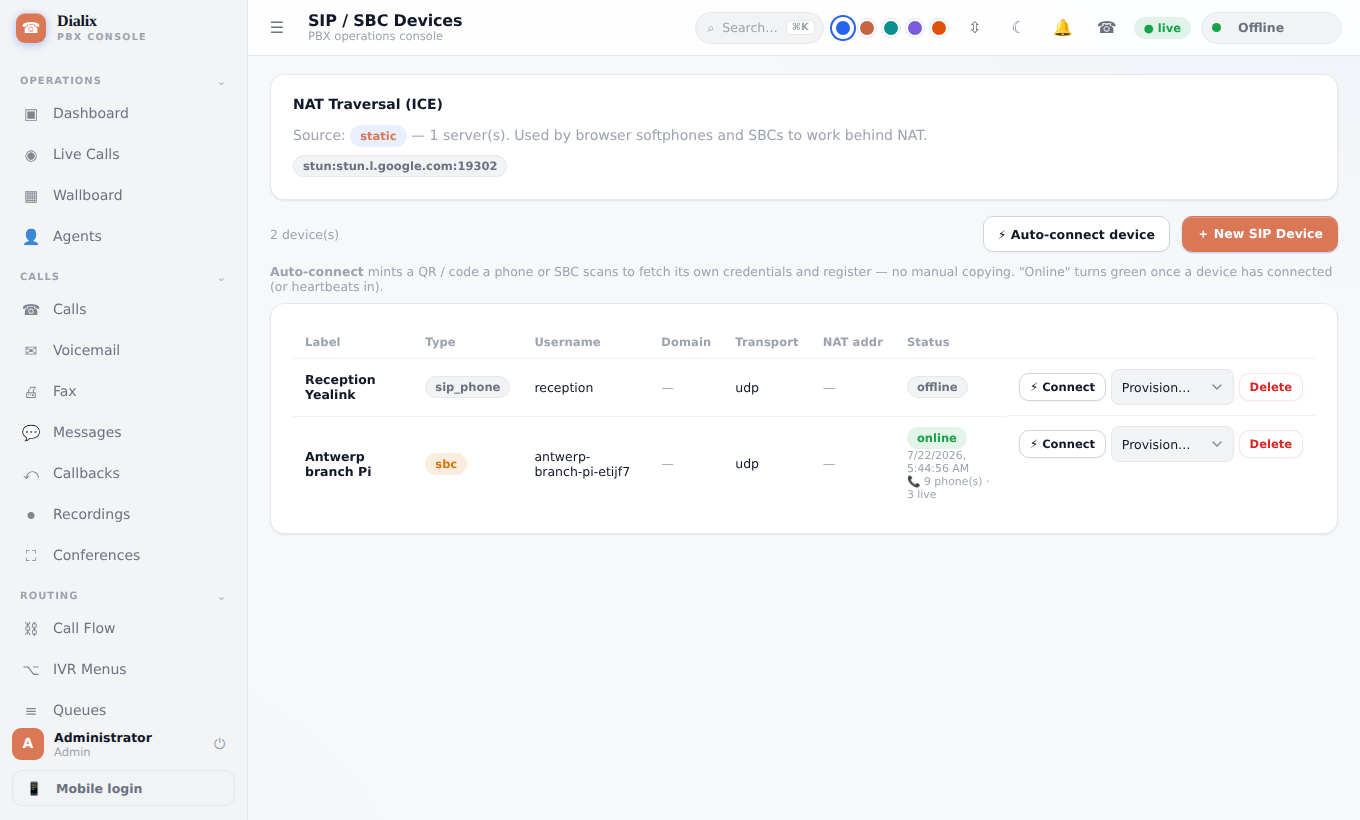
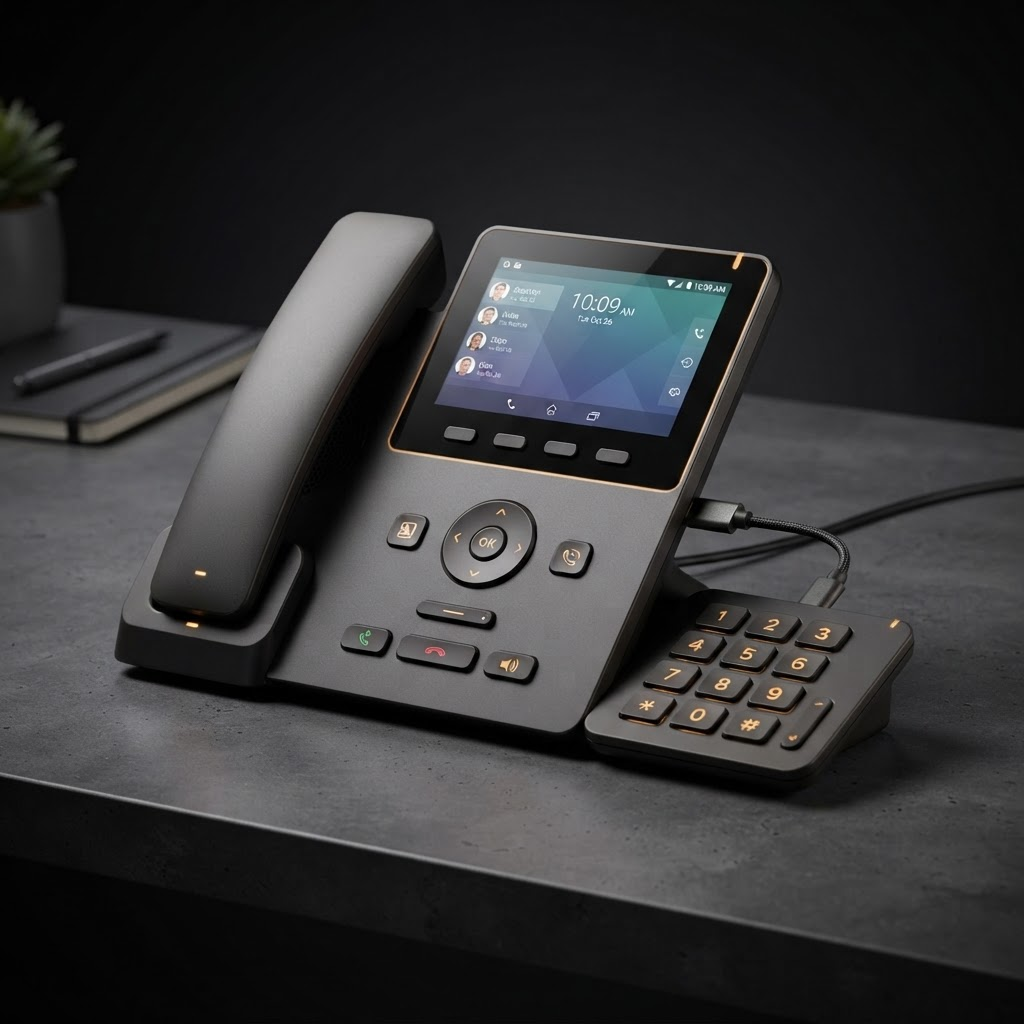
Dialix Desk — a modern, cordless-first SIP phone, built for Dialix
We're building our own desk phone from the ground up, optimized end-to-end for the Dialix stack: a single PoE cable to the base, a USB-C connected 0–9 keypad module you can dock on any side of the unit, a wireless handset with a wired option, a dedicated speaker button, a physical D-pad and three soft keys for driving the on-screen UI hands-free, plus dedicated call, history and phone book buttons — with firmware updates pushed the same way as everything else on your server.
Your agents' phones are the desk phones
No hardware to provision, no VPN to configure. An agent scans a code and their phone registers as a real SIP extension — with the same call timer, transfer options and caller ID as a desk phone at the office.
- Native SIP engine (liblinphone) — real audio, no callback tricks
- QR sign-in with zero manual SIP configuration
- Push wake: inbound calls ring even when the app is closed or dozing
- Blind transfer to extensions, numbers and SIP URIs
- Queue join/leave, org switches, DND/presence, voicemail PIN — all in-app
- Play-Store-ready build (16 KB page size, R8 full mode); APK on every release
One command. One binary. Your server.
Nothing is seeded — you create the first administrator yourself, in the browser, so no generated credential is ever left unclaimed in a log. Migrations run at boot, and upgrading is dropping in a new binary and restarting.
# fresh Debian / Ubuntu server
# grab the latest Community build
curl -fsSL https://dialix.app/api/download/community -o dialix.zip
unzip dialix.zip -d dialix && cd dialix
sudo ./install.sh service

# or: everything on one machine —
# MariaDB, database plane, SuperCenter
sudo ./install.sh --selfhost- Seeds no account — you create the first admin, in the browser
- Clustering: shared DB + Redis, weighted nodes, one node adopts the secret
- TLS via a real Let’s Encrypt cert (Cloudflare DNS-01) or self-signed
- Server
- Single Rust binary (axum), ~27 MB, x86-64 + arm64
- Media engine
- Asterisk 20+, driven live over ARI
- Database
- SQLite by default; MySQL/MariaDB for scale
- Web console
- Vanilla JS, no build step, self-served by the binary
- Codecs
- Opus, G.722, PCMU/PCMA with server-side transcoding
- Deploy target
- Any Debian/Ubuntu VM — a €4 VPS is enough
Host a fleet. Bill it. Keep every customer isolated.
Run several organizations on one install, each with its own users, numbers, trunk and branding on its own subdomain — or hand a customer a fully custom domain with correct TLS out of the box.
- An organization exists because its database exists — no registry row can conjure or hide one
- Per-tenant SIP trunks: each org can run its own carrier account, or fall back to yours
- Custom branding — logo, colors, login background — reflected in web, mobile and email
- One certificate per domain via built-in SNI, so every tenant’s domain gets correct TLS
Free forever, or ten euros a tenant a month
No per-seat license fees, no minute billing. Community edition is free and self-hosted forever. Unlock AI and multi-tenant for ten euros per tenant, per month — priced by tenant, not by seat, so a 20-customer install is 20 × €10 = €200/month, however many users each customer has.
The full PBX, self-hosted on your own server, with the guided installer included. No AI features, no client portal, single organization only.
- Full PBX — calls, queues, IVR, voicemail
- Web console, mobile app, desk phone support
- Guided installer screen — one-click setup wizard
- Self-hosted, unlimited extensions & minutes
- AI features — transcription, summaries, natural-language scheduling
- Multi-tenant — multiple organizations on one install
- Client portal — self-service tenant management
Everything Community has, plus AI and unlimited multi-tenant hosting — billed monthly, per tenant you host. Run 20 customer tenants? That's 20 × €10 = €200/month total, with unlimited seats inside each one.
- Everything in Community
- AI transcription, call summaries & voicemail-to-text
- Natural-language scheduling ("vanaf vrijdag 17:00 tot maandag 7:30")
- Multi-tenant — unlimited organizations, one install
- Client portal — self-service tenant management
- Per-tenant SIP trunks, branding & custom domains
- Priority security & upgrade support
€10 per tenant, per month — billed by tenant count, not seats. 1 tenant = €10/month, 20 tenants = €200/month. No seat limits, no minute limits, no card required for Community.
One tenant, 10 extensions
3CX and Yeastar bill per user/extension, so cost climbs with headcount. Dialix bills the tenant, not the seat — 10 extensions costs the same as 1.
3CX and Yeastar figures are illustrative street pricing for a 10-user tenant and vary by plan, region and promotion — check their current price lists for exact quotes.
Export your extensions. Import them. Repoint your phones.
Export extensions from 3CX Admin Console as CSV, preview the import, then apply it — each row becomes a registrable Dialix SIP extension, reusing the existing auth password where possible.
Where Dialix matches or beats 3CX
- Inbound/outbound calling, queues, hunt groups, IVR, voicemail + transcription
- Multi-vendor provisioning, native desktop softphone, mobile app, web client
- Edge SBC / Raspberry-Pi bridge with WAN-outage survivability
- Self-hosted, no per-extension licensing
Where 3CX is still ahead
- Built-in WhatsApp / live-chat / website-chat omnichannel
- Deeper Microsoft 365 / Teams integration
- Breadth of CRM connectors and years of on-device firmware testing
Honest self-assessment as a 3CX replacement for a typical SMB or contact-center deployment — core telephony, provisioning and one-command install on par; omnichannel is the remaining gap.
Your PBX. Your server. Your data.
Read the docs, run the installer, and create your first administrator in the browser — in the time it takes to provision a VM.